How to activate a Steam key
Two ways to activate a Steam key, and what the most common error messages actually mean.

A Steam key is a code that usually looks like XXXXX-XXXXX-XXXXX. Activating it adds the game to your Steam account for good, and the code can't be used again. The activation itself takes less than a minute.
In the Steam app on PC or Mac
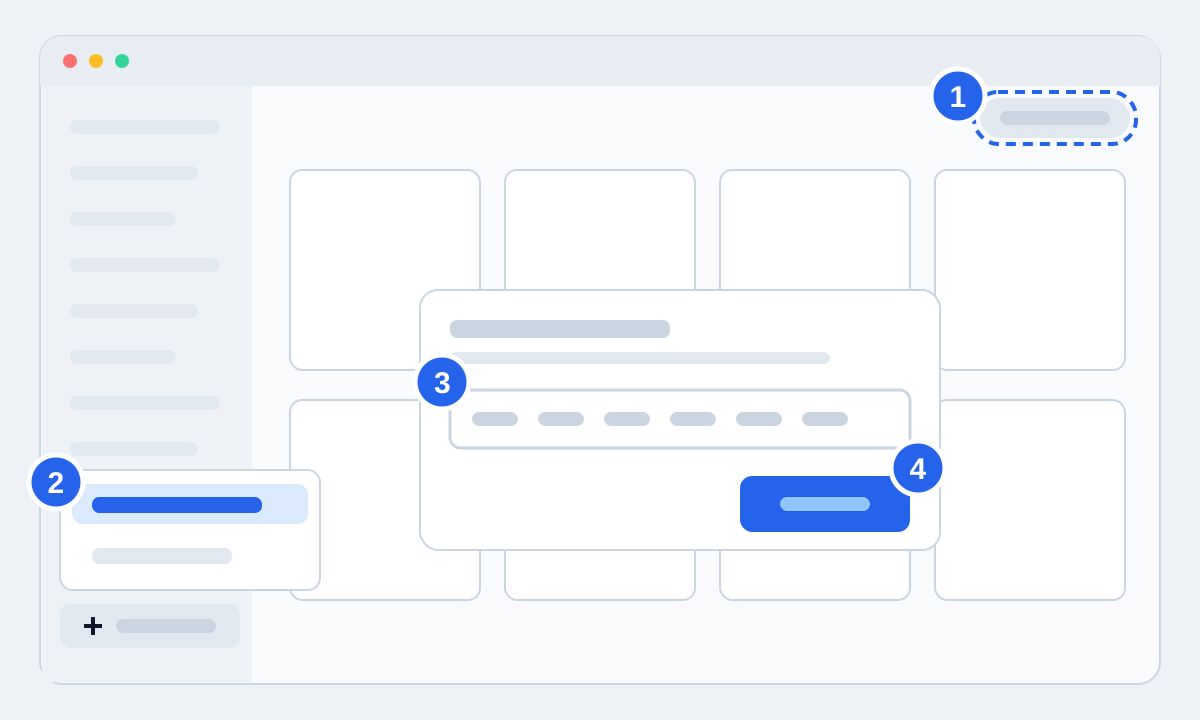
- 1Open Steam and check the account name in the top right. The game goes to whichever account is signed in.
- 2Click "Add a Game" in the bottom left of your library and choose "Activate a Product on Steam". The same option is under the Games menu at the top of the window.
- 3Accept the subscriber agreement and paste the key from your order page.
- 4Click Confirm. The game appears in your library and you can start the download straight away.
No Steam app nearby? Use your browser
You can activate from your phone or any computer. Go to store.steampowered.com/account/registerkey, sign in and paste the code. The game will be waiting in your library the next time you open Steam at home.
When Steam says no
Invalid code: almost always a typo. Copy the code straight from the order page instead of typing it, and check for a space at the start or end. 0 and O, 1 and I, and 8 and B are the usual mix-ups.
Code already used: it has been activated on an account. If you have more than one Steam account, check those first. If that's not it, send us your order number. A code that doesn't work is a fault we fix under Norwegian consumer law: you get a new code or your money back.
Too many attempts: Steam pauses activation for a while after many codes, or many wrong codes, in a short time. Wait about an hour and try again. It's a Steam safety lock and says nothing about the code itself.
Region error: the code is locked to a different region than your account. The product page shows where a code can be activated, so check it before buying if your Steam account was created outside Norway.