How to redeem a GOG code
A GOG code is redeemed on the website or in GOG GALAXY. After that you can download the game with or without GALAXY.

GOG codes are redeemed on your GOG account. The game lands in your library there, and because GOG sells games without copy protection, you can download the installers and keep them yourself.
On gog.com
- 1Sign in on gog.com with the account the game should go to.
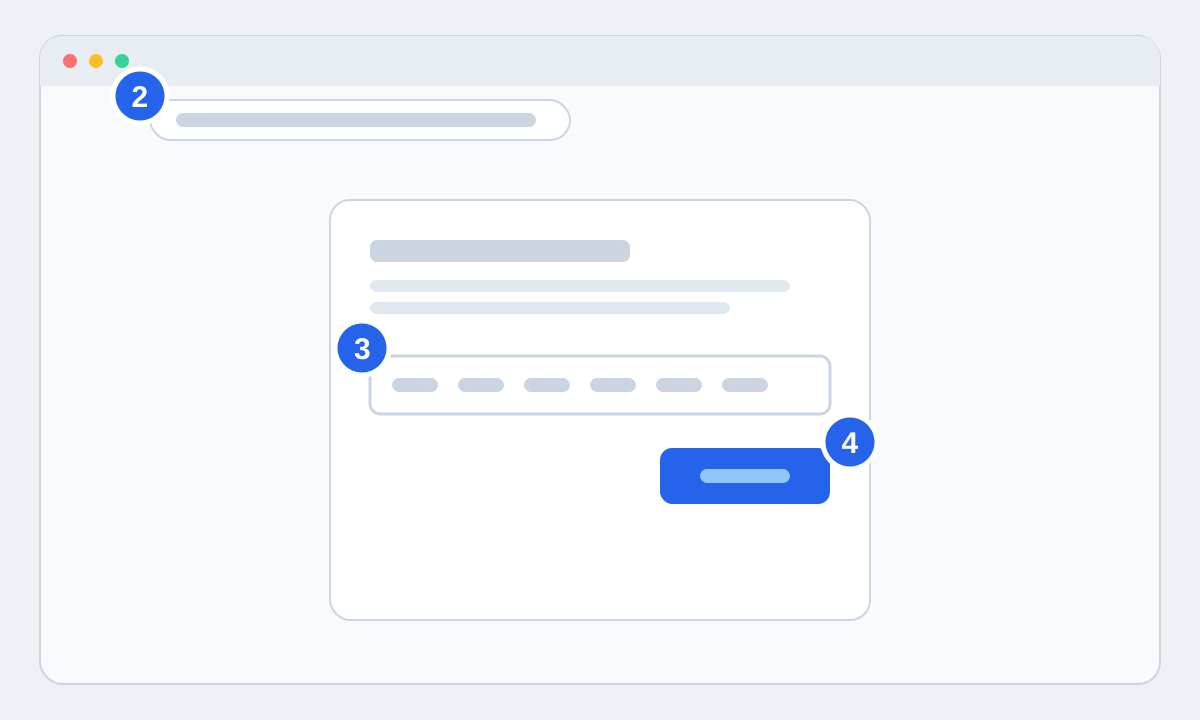
- 2Go to gog.com/redeem, or choose Redeem a code in the user menu at the top of the page.
- 3Paste the code from your order page and press Continue.
- 4Check that the right game is shown, then press Redeem. The game is now in your library.
In GOG GALAXY
Click the cogwheel in the top left, choose Add games & friends and then Redeem GOG code. Paste the code and press Continue. If GALAXY shows an error, try the same code at gog.com/redeem in your browser. That usually sorts it.
If the code is rejected
Compare the code character by character with your order page, or copy it again. If GOG says the code is already used and you haven't redeemed it on another GOG account yourself, send us your order number and we'll sort out a new code or your money back.